
Account settings
API key and secret
Section titled “API key and secret”Settings → Account settings is available to Partner users.
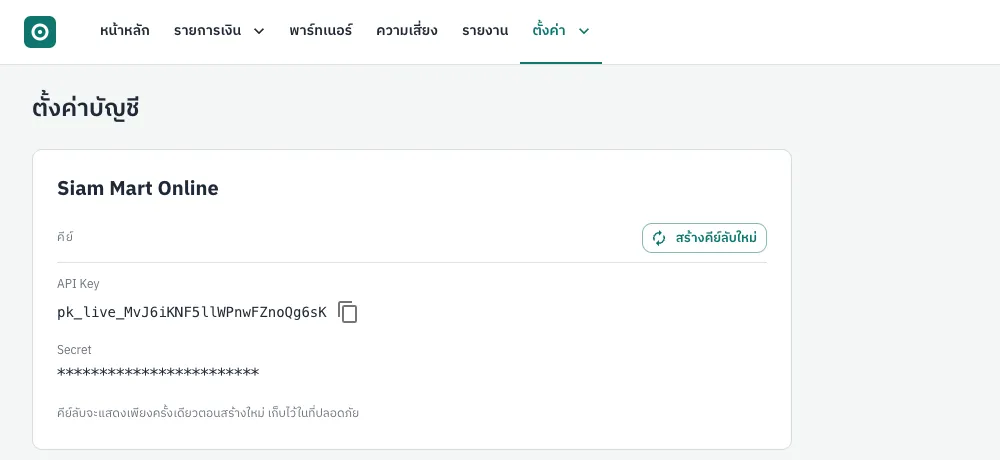
| Value | Use |
|---|---|
| API key | Sent in the X-Api-Key header of every request. Click the icon to copy it |
| Secret | Signs API requests (HMAC) and webhooks. It is shown only when a new one is created |
- Click Create a new secret.
- Tick the acknowledgement box and click Confirm.
- In the success dialog click Copy the new secret and store it on your server straight away, then Close.
See Authentication for how to use the keys.
IP allow-list
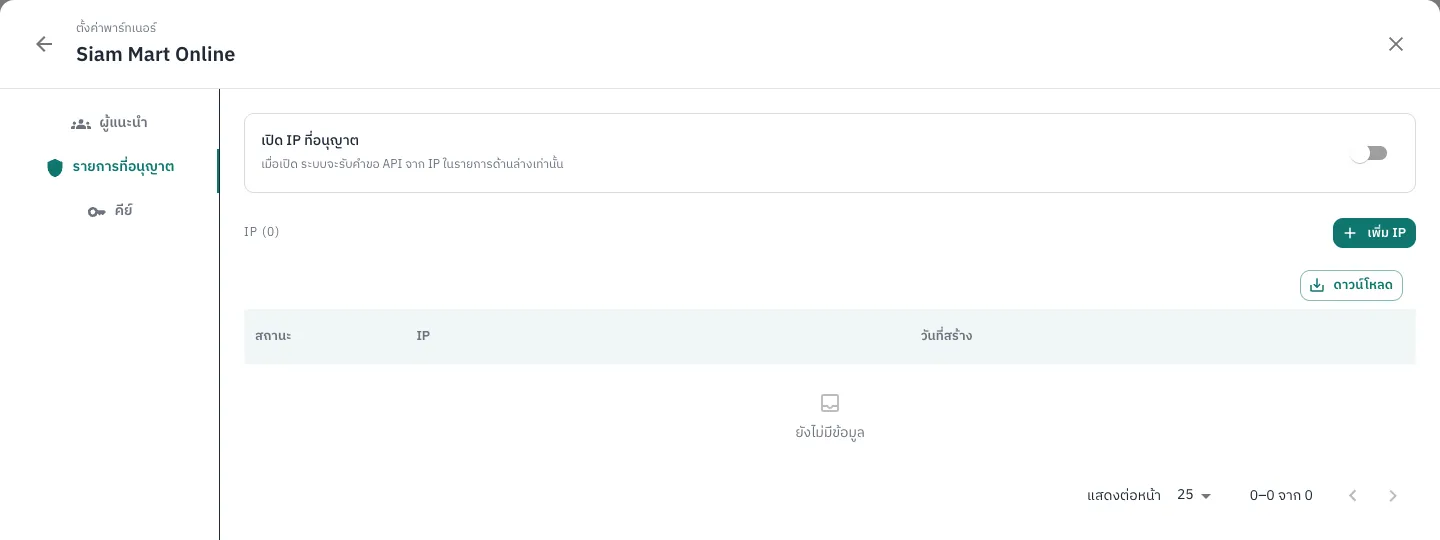
Section titled “IP allow-list”When the IP allow-list is on, API requests are accepted only from listed addresses; others get 403 ip_not_allowed.
- Partner users: send the outgoing IPs of all your servers to support, who will add them and turn the list on.
- Partner group users: open Partners → All partners, click the gear icon (settings) on the partner, choose the Allowlist tab, add each IP with Active status and save, and only then turn on the switch. The API keys tab of the same dialog shows the API key and lets you create a new secret.
Other settings
Section titled “Other settings”The webhook URL is sent with each payment (webhookUrl); there is no account-wide setting. Per-payment limits, the automatic payout limit, the daily withdrawal limit and fee plans are set by the provider; contact support to change them.