
Confirm a pay-in with a slip
When a payer has paid but the pay-in is still New or has Timed out (paid late, rounded the amount, or the sender name did not match), a Partner operator user can confirm it with the transfer slip.
-
Get the slip image (JPG or PNG from the banking app, with its QR code) from the payer.
-
On Pay-ins, find the payment and check that the payer and whole-baht amount match the slip.
-
Click Confirm partial amount (the wand icon at the end of the row).
-
In Apply a partial match?, click Upload to attach the slip, write a Note, and type the confirmation text shown: P followed by the amount, e.g.
P1000.82.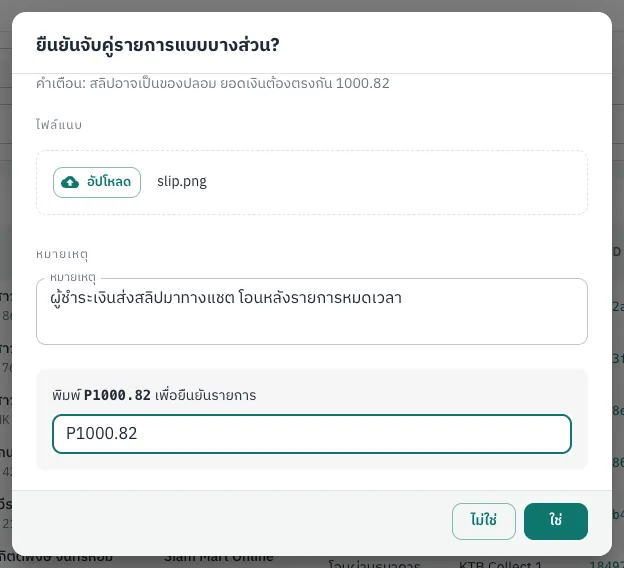
-
Click Confirm.
The platform verifies the slip with the bank: readable QR code, not used before, correct recipient account, same whole-baht amount, and sender matching the payer. If it passes, the pay-in becomes Completed and payin.succeeded is sent. If not, the error dialog shows the reason (English messages such as “Duplicate payment slip detected” or “Payment slip verification or matching failed”) and a reference ID.
Your system can do the same with POST /v1/payins/{id}/slip (Slip verification). For canceled pay-ins or slips that fail although the money arrived, contact support.