
Finding and reading payments
Open Payments → Pay-ins or Payouts. Partner, Partner operator, Partner risk and Partner group users (all partners in the group) can use these pages.
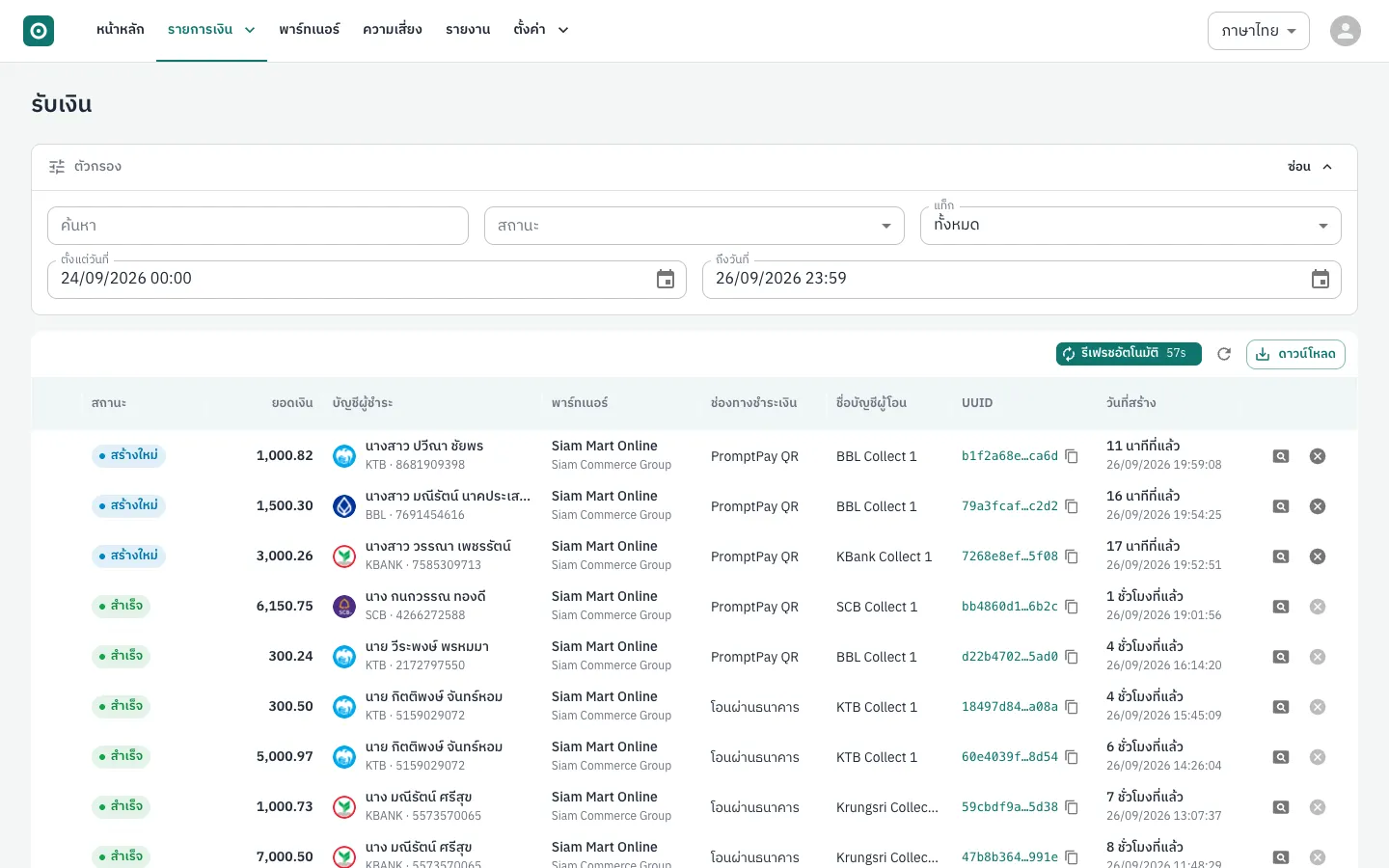
Filters
Section titled “Filters”| Filter | Use |
|---|---|
| Find | UUID of the payment or payer, partner order ID, account name, account number, or the exact transfer amount (e.g. 1000.82) |
| Status | Pick one or more statuses (status reference) |
| From / To | Creation date range. The default is the last 2 days up to the end of today; widen it to find older payments |
Above the table: Live update reloads every 60 seconds, the circular arrow reloads now, and Download saves the rows on the current page as CSV.
Detail view
Section titled “Detail view”Click the magnifier (Details) or the UUID. The full-screen view shows the payer (or recipient), requested and transfer amounts, fee, timeline and status message, callback history, references (UUID, partner order ID), the QR code with Open payment page for pay-ins, and a Note box for your team.
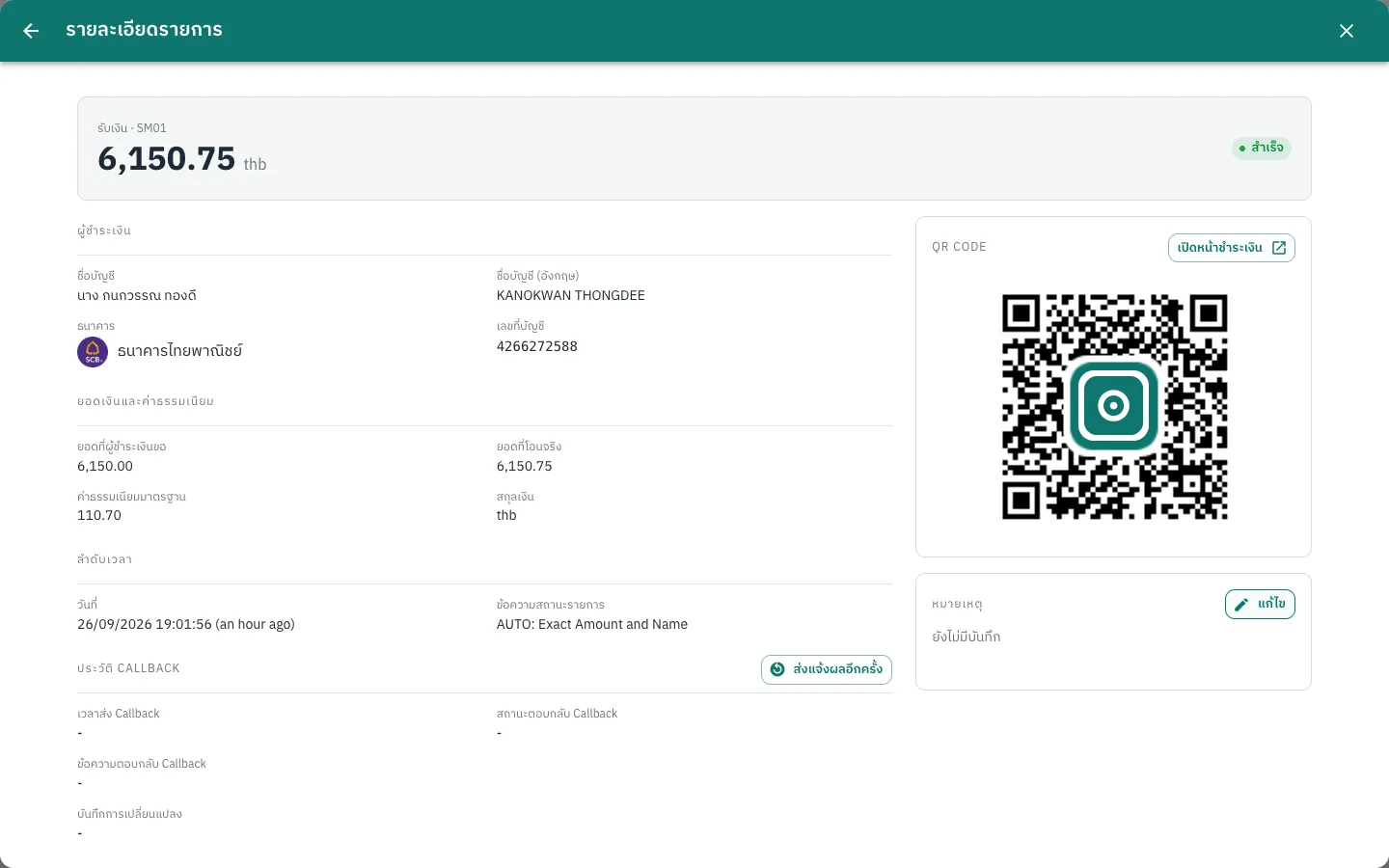
Send callback again
Section titled “Send callback again”Use this when your system missed a webhook; the platform does not retry automatically.
- Open the payment and check the callback response status in the callback history.
- Click Send callback again, then Confirm.
The button appears for pay-ins that are completed, timed out or cancelled, and payouts that are completed or cancelled. Partner, Partner operator and Partner risk users can use it. Your system must handle duplicates by event ID (Webhooks).
Cancel a pay-in
Section titled “Cancel a pay-in”Partner, Partner risk and Partner group users can cancel a New or Timed out pay-in with the cross icon (Cancel) at the end of the row, then Confirm. A payin.canceled webhook is sent. There is no cancel button for payouts in the partner console.