
Team
Partners → Team is available to Partner (owner) users only. It lists every user of your partner account with their role and user ID.
-
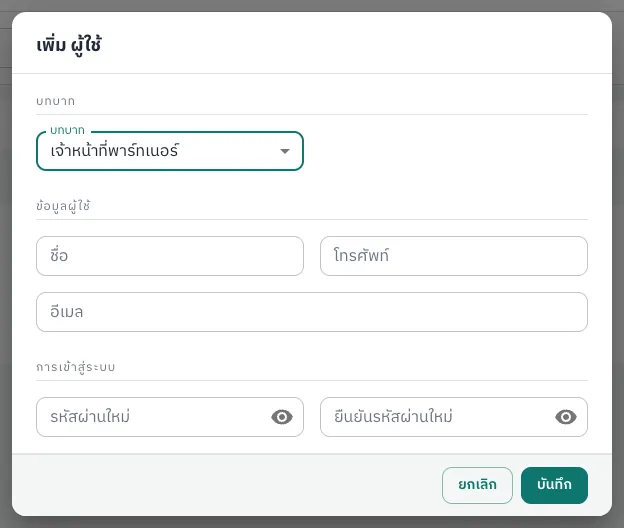
Click Add user.
-
Pick the Role first: Partner operator (payments and slip confirmation) or Partner risk (overview, payments, payers, daily summary).
-
Enter Name, Phone number and Email (the sign-in name).
-
Set the New password and Repeat new password, then click Save.
-
Give the user their email and password through a secure channel. They should change the password and turn on 2FA right away.
The page can only add users. Ask support to deactivate a user (for example when someone leaves), change a user’s name, email or role, reset a password or 2FA, or add another Partner or Partner group user.